Robomongo - MongoDB Management Tool
Every now and then I come across a new tool that makes simple tasks that little bit more simpler. Robomongo is one of those tools.
I use MongoDB for application data storage and I'm used to firing up a command prompt and drilling in MongoDB shell commands. Robomongo is a GUI application that can assist in the interrogation of datastore collections and data queries.
Robomongo — is a shell-centric cross-platform open source MongoDB management tool (i.e. Admin GUI). Robomongo embeds the same JavaScript engine that powers MongoDB's mongo shell. Everything you can write in mongo shell — you can write in Robomongo!
Setup
Download the installation from http://robomongo.org
I already had a MongoDB installed, but if you need to get one head over to http://mongodb.com and follow the installation instructions.
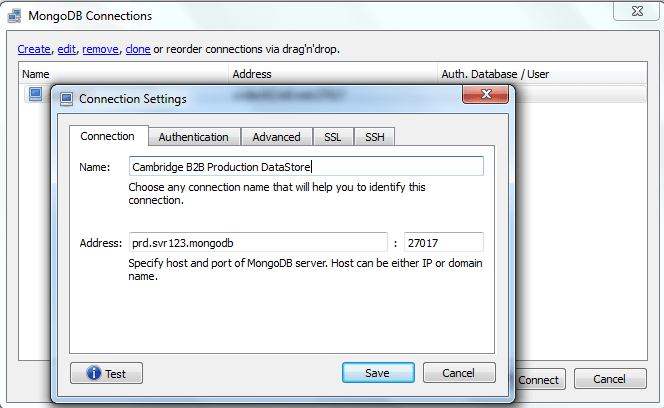
Fire up Robomongo and lets connect to the datastore. You'll only need to enter the connection details once as Robomongo will save the details, so simply complete the Connection and if required, Authentication tabs.
Collections View
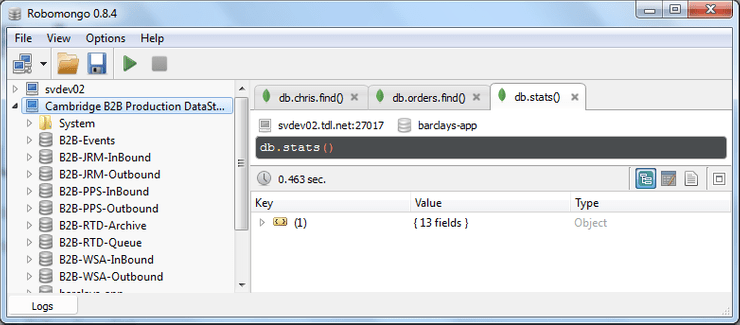
Once connected, the left hand pane displays all the collections in the datastore. These can be expanded to view the indexes and tables within the collection.
Queries
Displaying the contents of a table can be as straight forward as right clicking and selecting View Documents. Alternatively you can write your own queries and save these for re-use. There is syntax hightlighting which although a simple enough feature, makes reading data objects sooooo much easier. There is also the ability to autocomplete when typing in collection names etc.
Multiple tabs enable results and sessions to be kept and new queries fired across different collections or datastores.
Three view formats are available for the returned output: tree, table or text [JSON], so you can use the display that suits your query the best.
MongoDB Commands
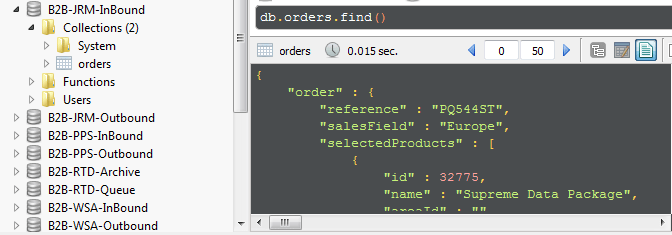
Right clicking in the left hand explorer bar lists common actions relating to the object, for example, right click a Collections and a create a new collection menu item is displayed. Depending on the action the outcome might just perform the action or present the script that can be viewed and edited before executing.
Reality Check
Ok, i was using V0.8.4 which is still fairly early in the applications development. As such I have hit upon a few wrinkles such as connection failure and even a complete crash. But hey, a reality check here, this is still in Beta, it's free and already has some good functionality.
Conclusion
I had this running on Windows connected to a Windows hosted MongoDB - it installed and connected to my datastore and ran queries. Saving commonly used connections and the quick view of collections was a real time saver [as was the ability to parse and insert new test objects into a test datastore]. I can see this application sticking around in my toolbox for those 'I've got a app for that' situations. My suggestion is that if you like it, use it and feedback your comments so this application can get even better.